
Learning management & academy ERP
Run training institutes, professional academies and corporate learning on one platform: admissions, fee instalments, cohorts, lessons, quizzes and verifiable certificates.

Modules in this system
- Course builder & curriculum
- Cohort & batch scheduling
- Video, reading & assignments
- Question banks & timed quizzes
- Enrolment & fee instalments
- Instructor payouts & attendance
- Verifiable QR certificates
Course delivery and fee accounts in one system.
Standalone course plugins handle videos and quizzes well enough, but leave admissions teams juggling spreadsheets for batch seats, fee instalments, bank challans, corporate sponsorship invoices and trainer payouts. Meanwhile learners get stuck waiting for manual account activation after they pay.
Our Learning Management System combines structured course delivery with full institute administration. Learners enrol online or at the front desk, receive access automatically when their fee voucher or corporate invoice clears, work through modules and assessments on desktop or phone, and download a QR-verifiable completion certificate once academic and fee requirements are met.
Structured course content
Modules, recorded video, downloadable notes, live-class links and assignments
Cohort & seat management
Morning, evening and weekend batches with room or online capacity limits
Timed quizzes & grading
Randomised question banks, auto-graded MCQs and instructor-marked submissions
Fee vouchers & instalments
Admission fees, monthly instalments, corporate group billing and access holds
QR-verified certificates
Each certificate carries a public verification link for employers and boards
Corporate training portals
Assign mandatory modules by department and track staff completion rates
Built as a modular Frappe Framework app.
Like Arctic OS, our cold storage flagship, this module is engineered on Frappe Framework. Its trade-specific DocTypes, registers and print formats run cleanly alongside standard ERPNext accounting and stock, Frappe HR biometric payroll, and Frappe CRM or Helpdesk on one shared login, with zero per-user licence fees.
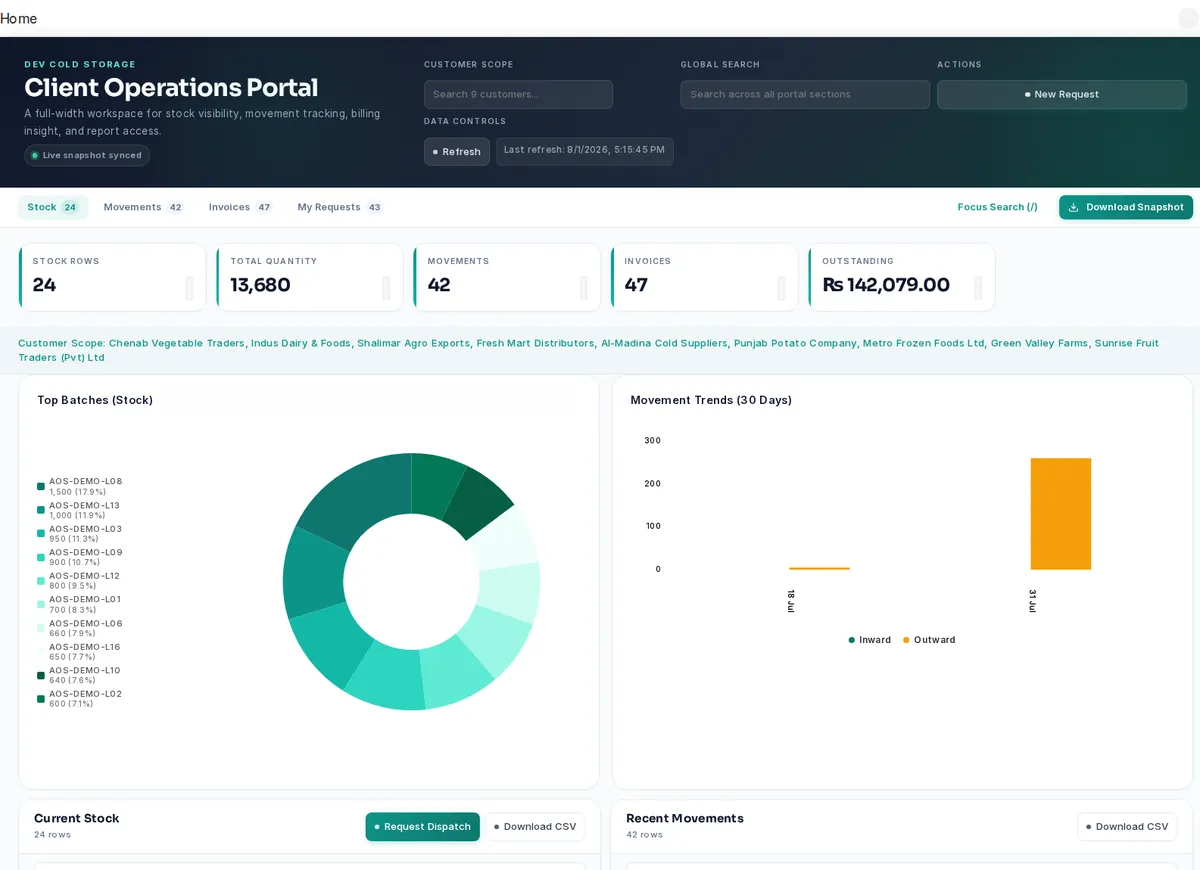
Swipe sideways to see the whole screen.
What the module gives you.
Dashboards, registers and controls designed around the way this business runs.
Learner completion & drop-off
See which learners are falling behind on lessons, attendance or assessments
Batch revenue & fee dues
Collected fees, pending instalments, discounts granted and instructor share per cohort
Trainer workload & payouts
Fixed salary, per-hour or revenue-share calculations for visiting faculty
Mobile-friendly learner view
Clean browser playback and quiz screens built for phones over everyday data links
Multi-campus & corporate ready
Operate multiple training centres or separate client company portals from one installation with branded certificates and separate ledgers.
From enquiry to certified graduate.
Admissions, learning progress and accounting update together without manual handoffs.
-
Publish courses and open cohort seats
Set up syllabi, lessons, prerequisite rules, question banks and fee plans. Open dated cohorts with assigned instructors, timetables and seat caps.
-
Enrol learners and automate access
Convert walk-in or online leads into enrolled learners, issue fee challans or corporate tax invoices, and let course access pause automatically if an agreed instalment goes overdue.
-
Assess, certify and close cohort accounts
Track classroom or live-session attendance alongside quiz and assignment scores. Issue numbered QR certificates on completion while posting fee income and faculty payouts to the general ledger.
LMS & academy ERP questions.
Questions from training institutes, skill academies and HR learning teams.
How is this different from your School ERP?
School ERP is built around academic years, classes, sections, family fee challans and term report cards. LMS ERP is built for short courses, rolling cohorts, self-paced video and quiz progression, corporate training groups and verifiable skill certificates.
Can employers verify a certificate online?
Yes. Every issued certificate carries a unique certificate number and QR code that opens a verification page confirming the learner's name, course title and completion date.
Can course access be linked to fee instalment status?
Yes. You can configure grace days on instalment plans so access to upcoming modules or final exams unlocks automatically when payment is recorded.
Where are training videos hosted?
You can link private streaming hosts such as Vimeo, Bunny Stream or YouTube Unlisted for low bandwidth costs, or serve internal training media from your own server.
Can companies use this for internal staff onboarding and compliance?
Yes. For internal corporate use, fee billing is switched off and modules are assigned by role or branch, giving HR and operations managers live completion and assessment logs.
Deployed and supported by one team.
Because the same firm handles networks, servers and accounting, you do not have to coordinate three separate suppliers around your ERP rollout.
2–8 week go-live
Single-site setups usually go live in about two weeks; multi-branch rollouts take four to eight weeks, including training in English or Urdu.
Cloud or on-premise
Run it on our managed cloud or inside your own server room, with daily backups and an audit log on every transaction.
Networks & hardware
LAN/WAN cabling, WiFi, VPNs, barcode or weighbridge links and CCTV installed by the same engineering team.
Books & tax returns
Monthly IFRS-aligned bookkeeping, UAE VAT / Corporate Tax and Pakistan FBR filings prepared straight from your ERP figures.
Ways to start.
Pick whichever suits you. Each one reaches the people who would do the work.
Run courses, cohorts and fees from one desk.
Book a 30-minute walkthrough of course creation, learner portals, fee instalments and certificate verification.