Arctic OS Cold Storage ERP
The operating system for cold stores — a complete desktop back office with live cold-chain intelligence, plus Arctic OS Mobile, the Android app that puts scanning, receiving and dispatching on the warehouse floor.
One Platform, Desk to Dock
Our cold storage ERP is now Arctic OS — one platform with two faces. The Arctic OS desktop is the back office and backend: command center KPIs, inward and outward registers, chamber-level inventory, billing, compliance and analytics. Arctic OS Mobile is its Android frontend for the floor — the same server, the same permissions, in your operators' pockets.
Built and refined on working facilities, Arctic OS is modelled on how a cold store actually operates: goods arrive at the gate, get received into chambers and racks as customer-owned batches, are watched by live cold-chain monitoring, and accrue storage and handling charges until the day they dispatch.
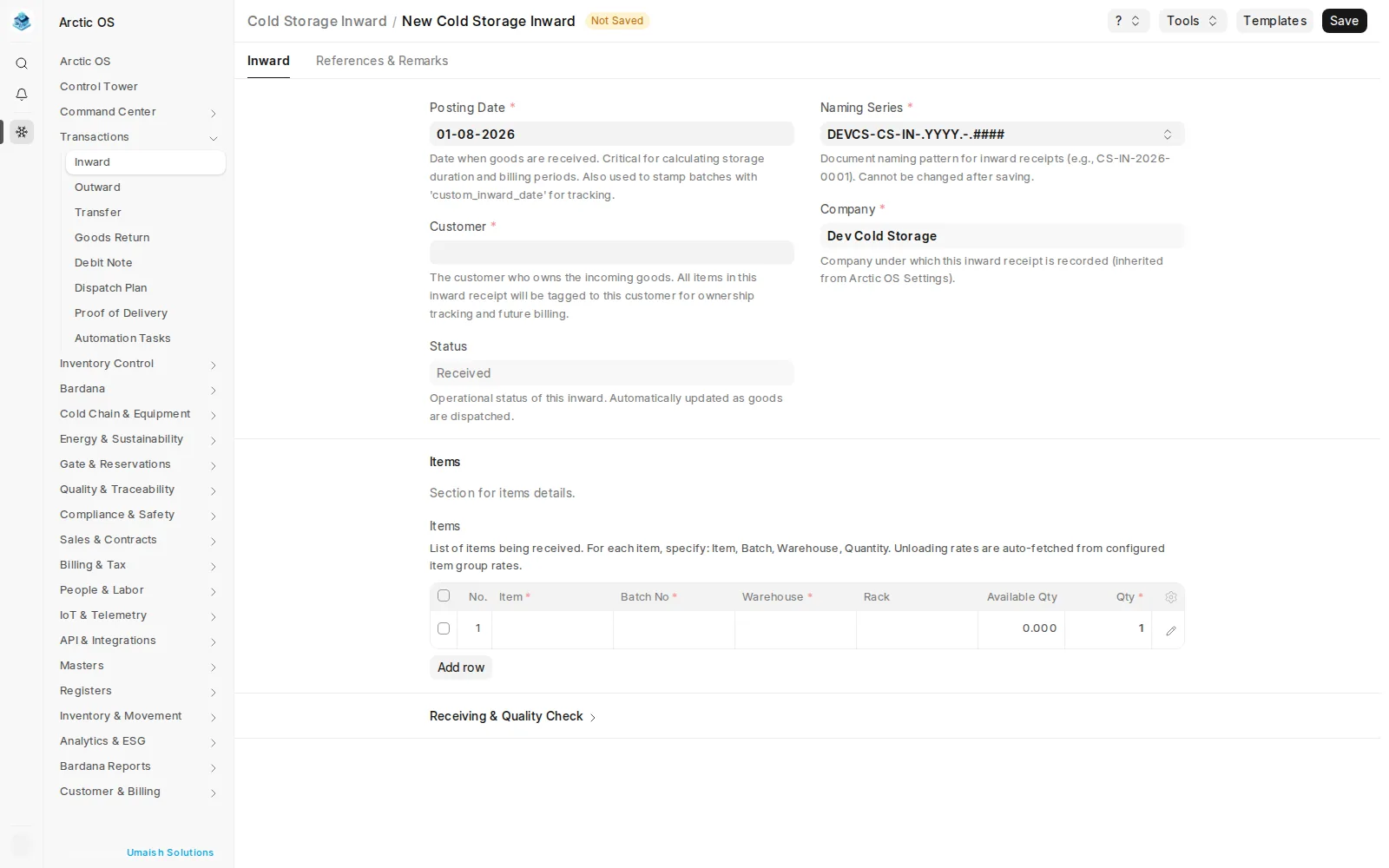
Inward & Outward
Receipts, dispatches and gate passes with batch, warehouse and rack lines
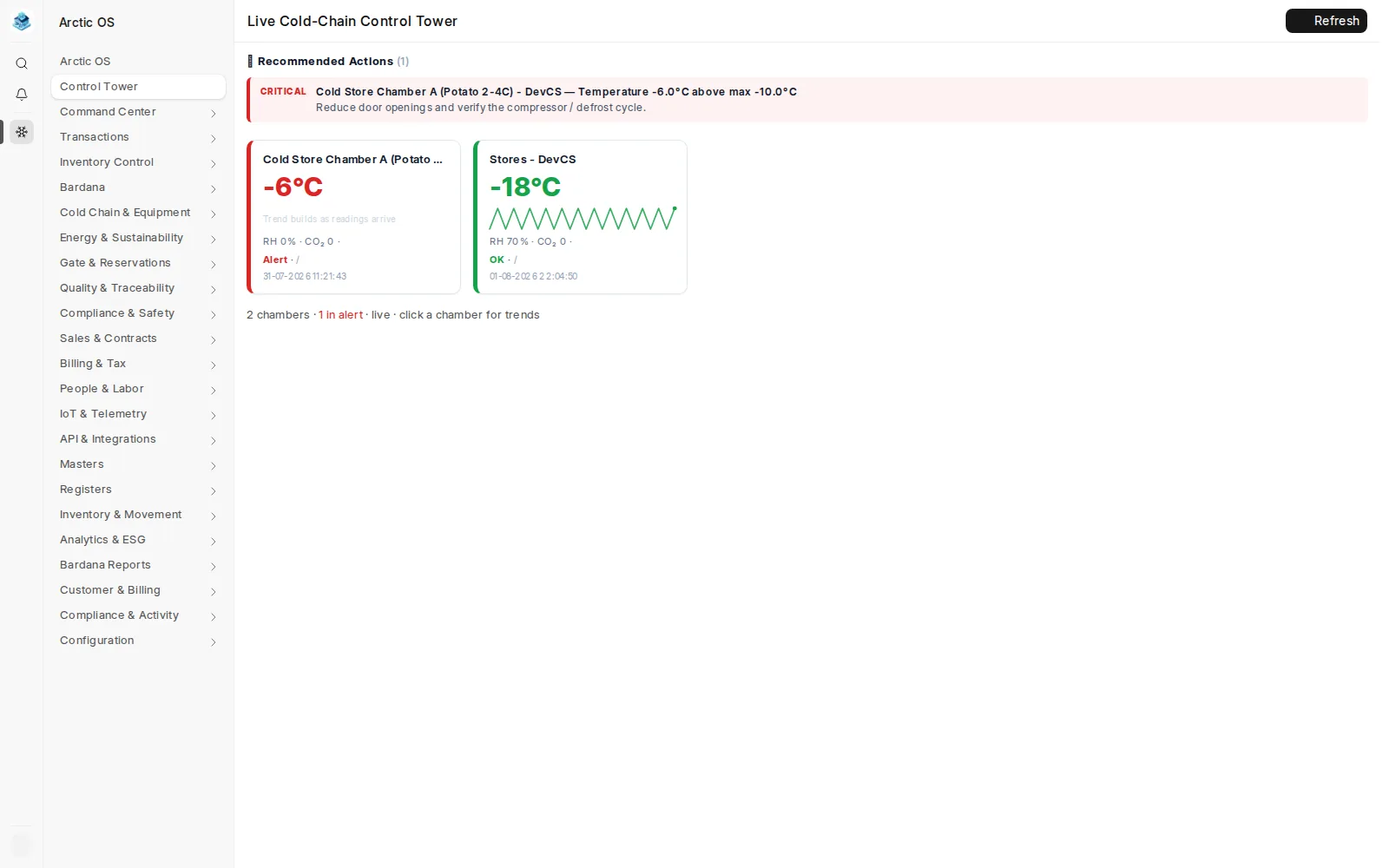
Live Cold-Chain Monitoring
Chamber temperatures, excursions and equipment state
Chamber & Rack Mapping
Customer-owned batch stock, down to the rack
Billing & Charges
Handling rates, itemized charges, GST and one-click invoices
Transfers & Stock Counts
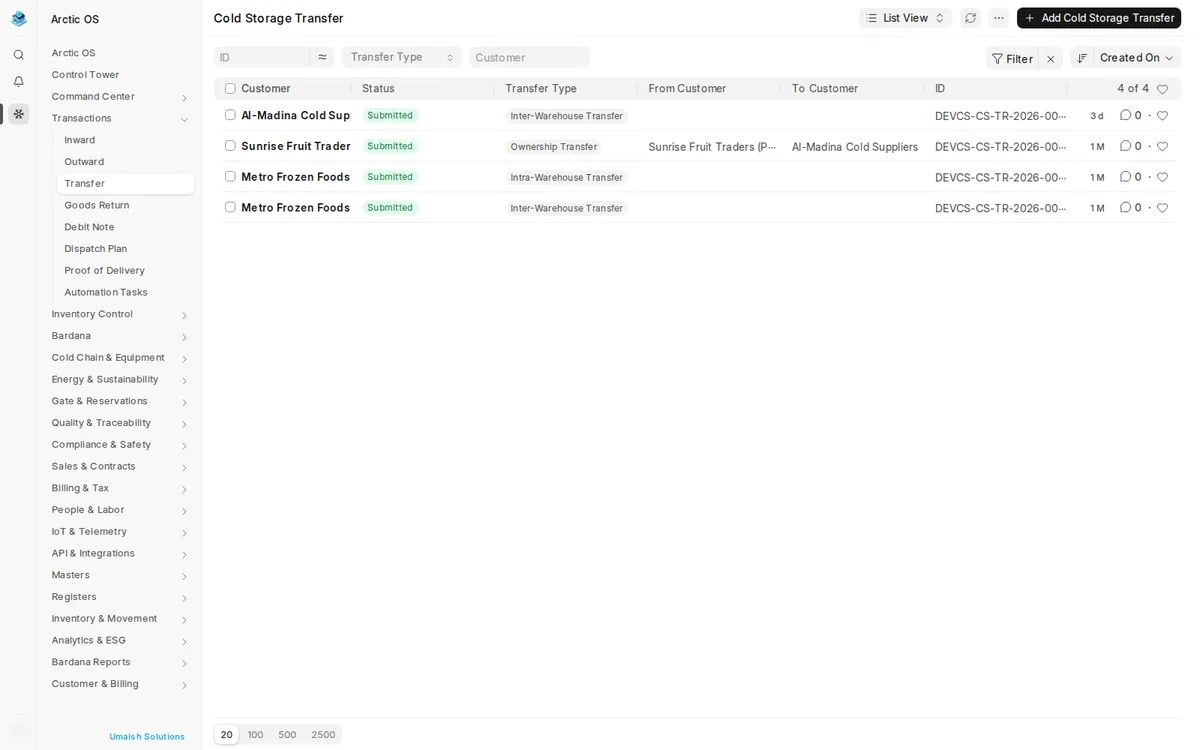
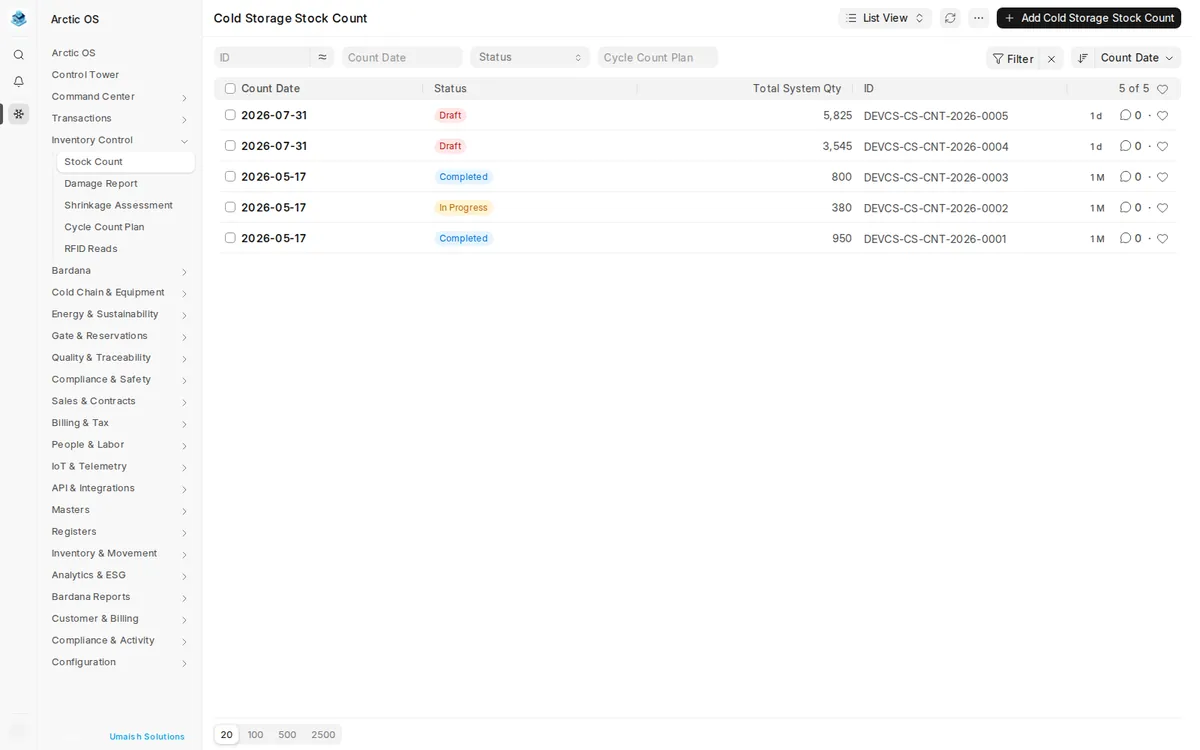
Inter-warehouse, ownership transfers, counts and reconciliation
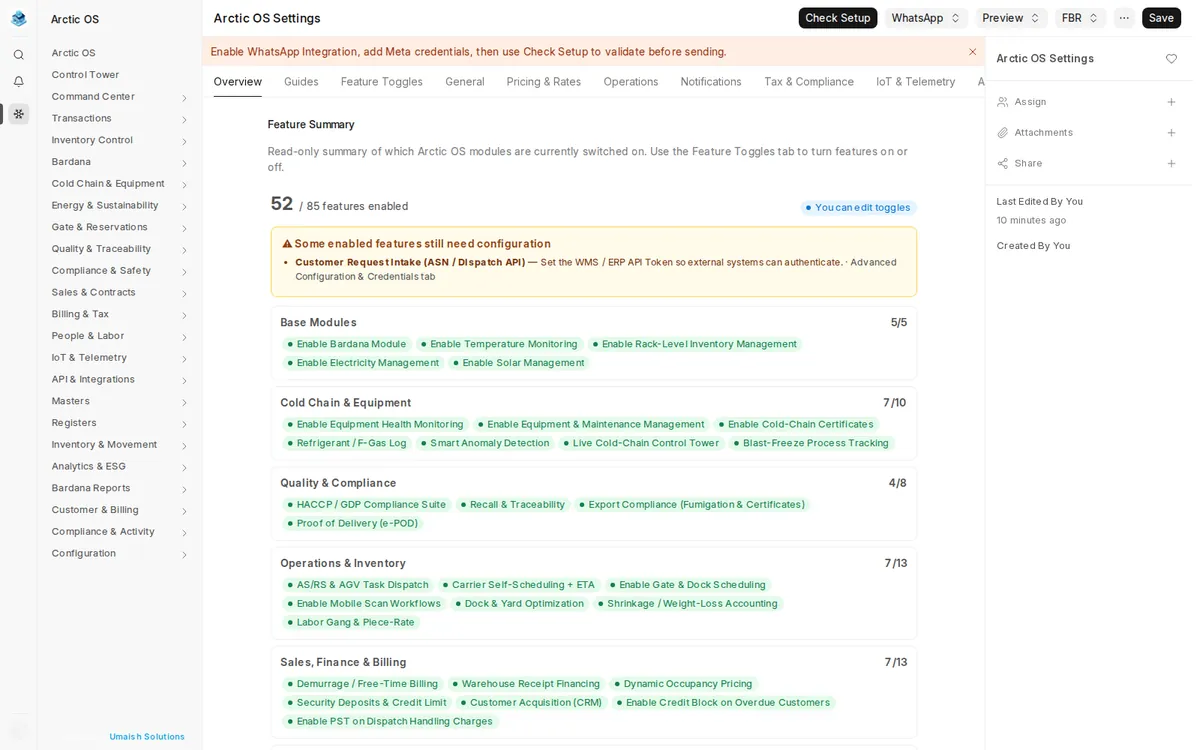
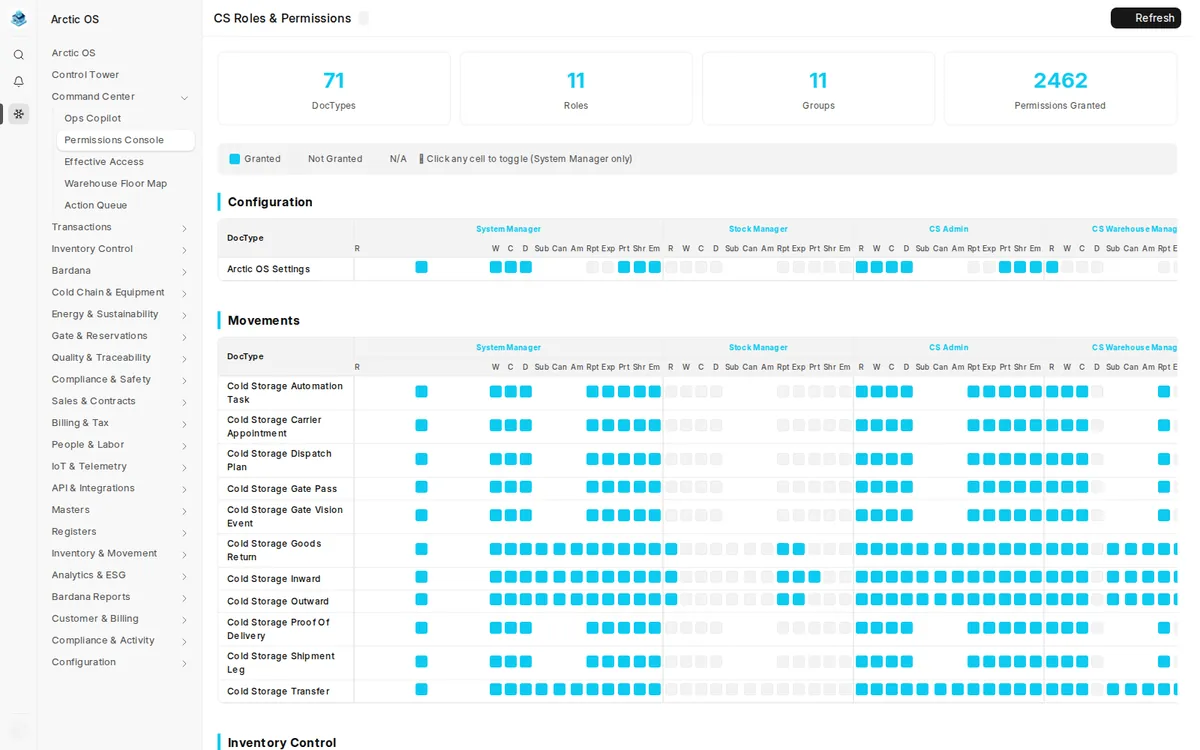
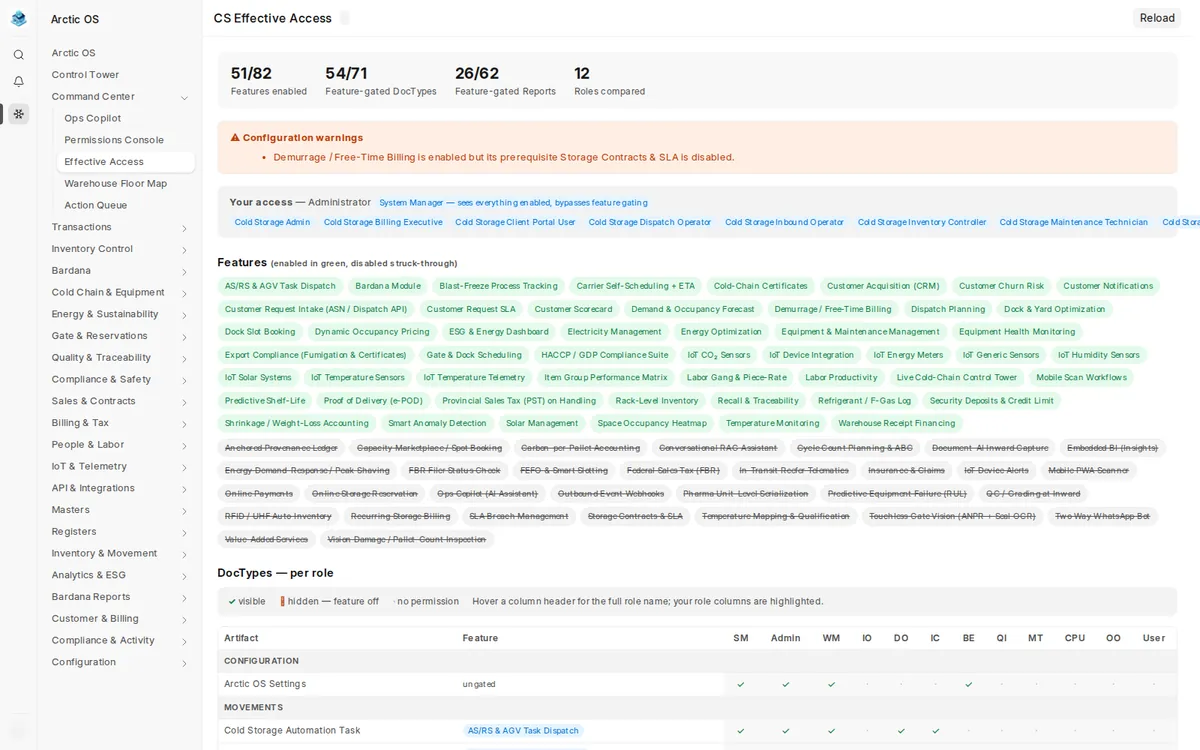
Roles & Effective Access
Permission console with per-user access diagnostics
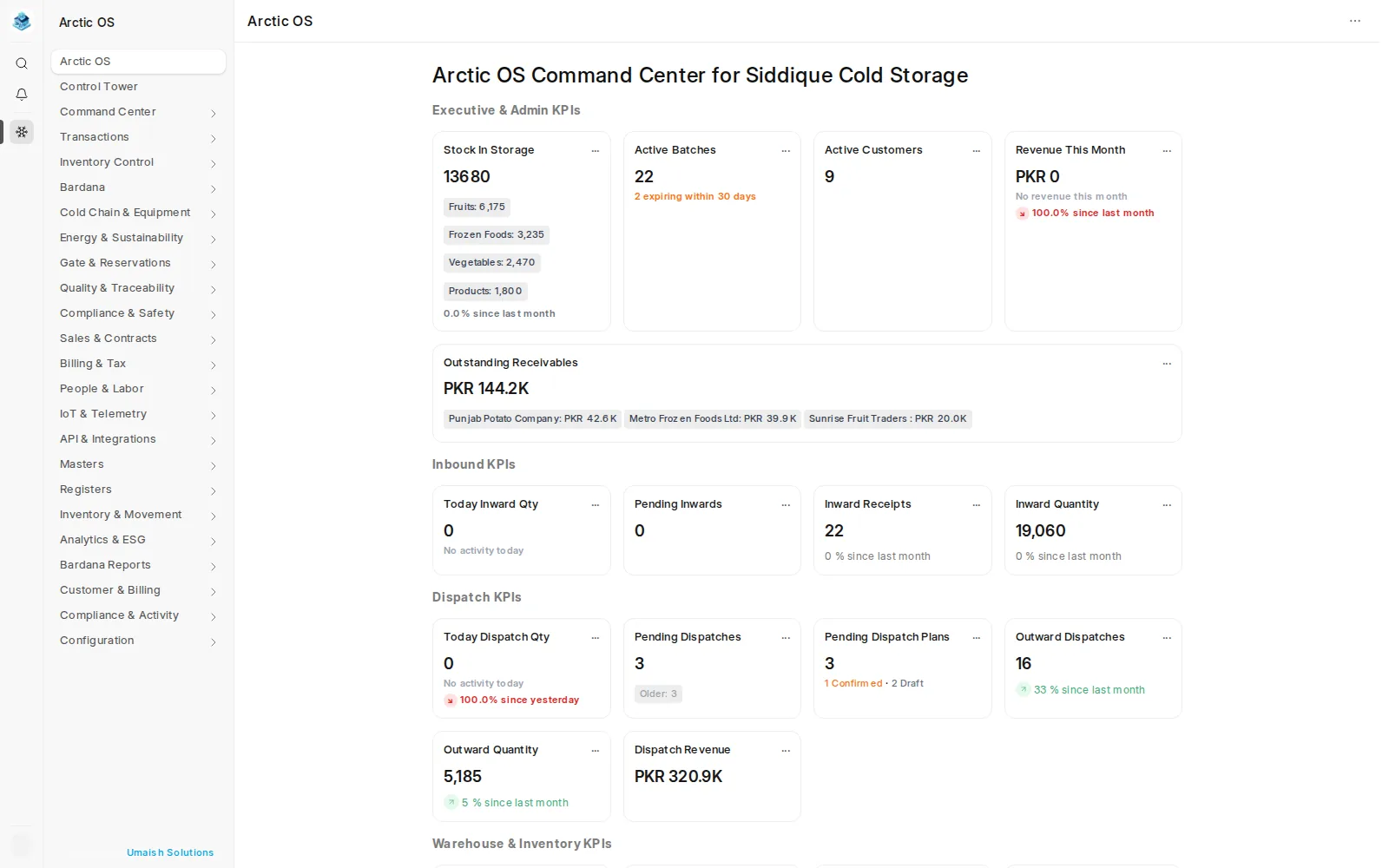
Command Center
Executive, inbound, dispatch, warehouse, billing, compliance and risk KPIs in one view
Live Control Tower
Chamber state, temperature excursions, stale sensors and capacity needing attention
Action Queue
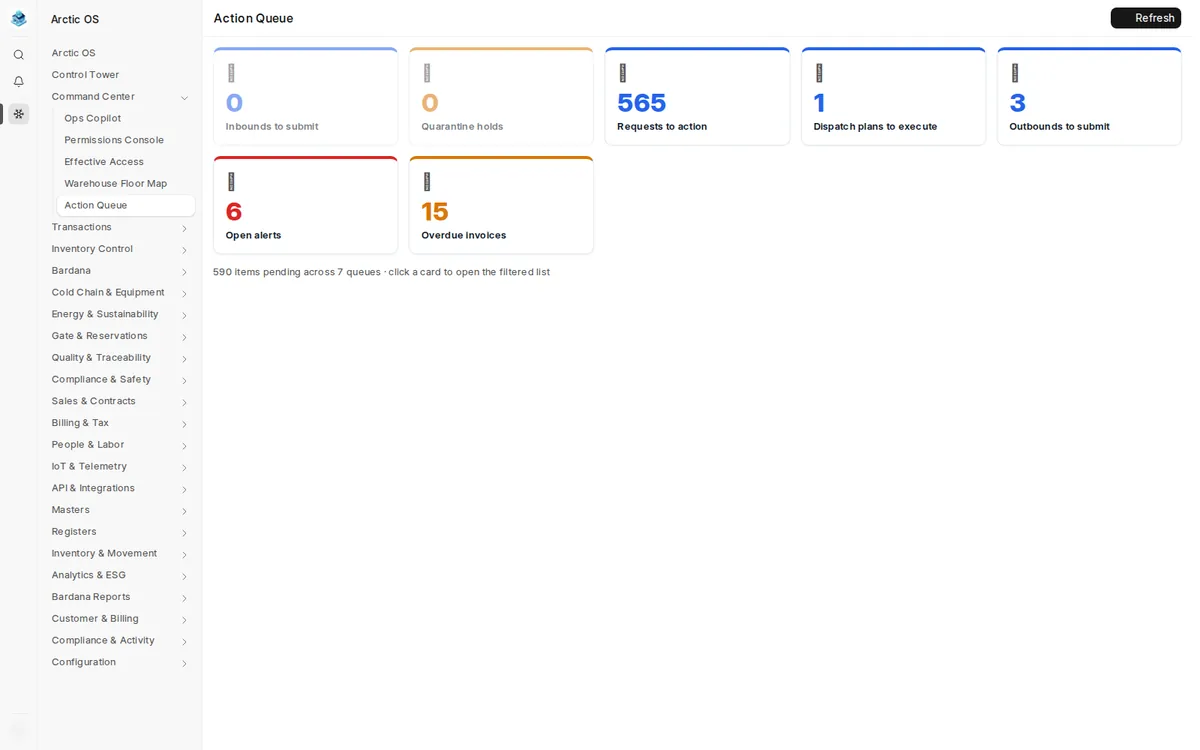
Prescriptive, prioritized work derived from live warehouse risk and exception signals
Ops Copilot
Plain-language answers grounded in the signed-in user's permitted operational data
Client Operations Portal
Give customers a live, self-service window into their own stock, movements, invoices, balances and service requests — scoped strictly to their records.
The Back Office, Live
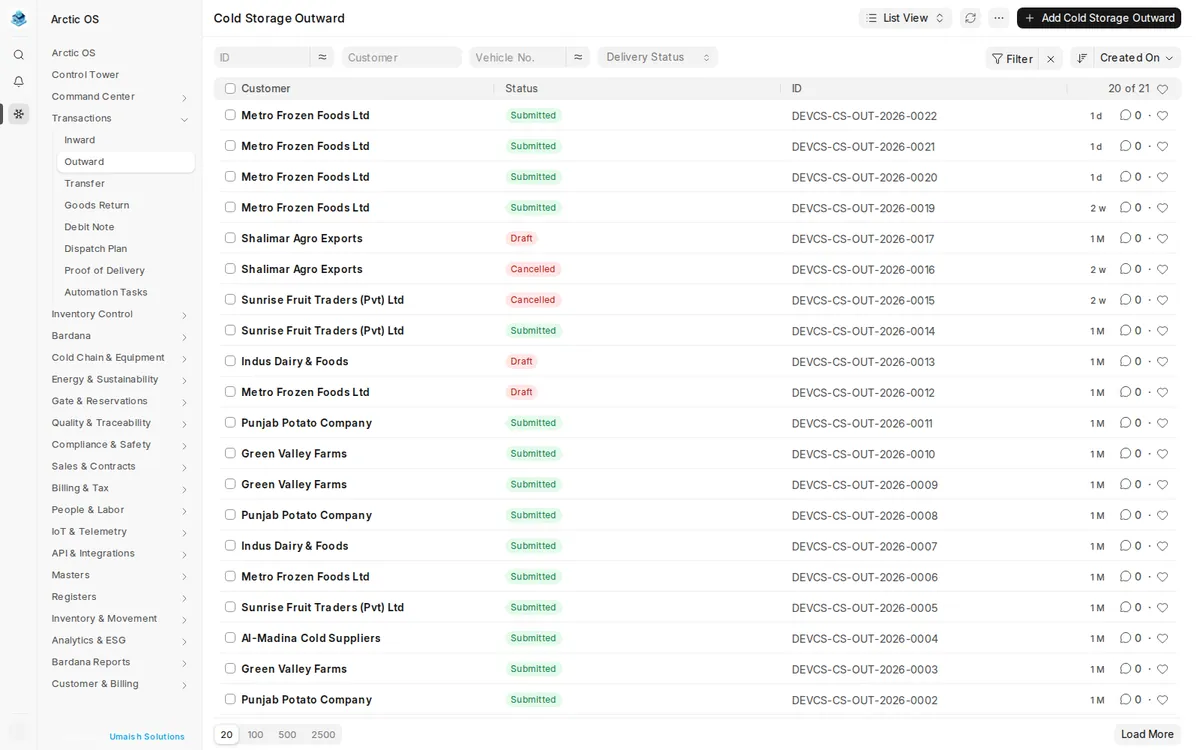
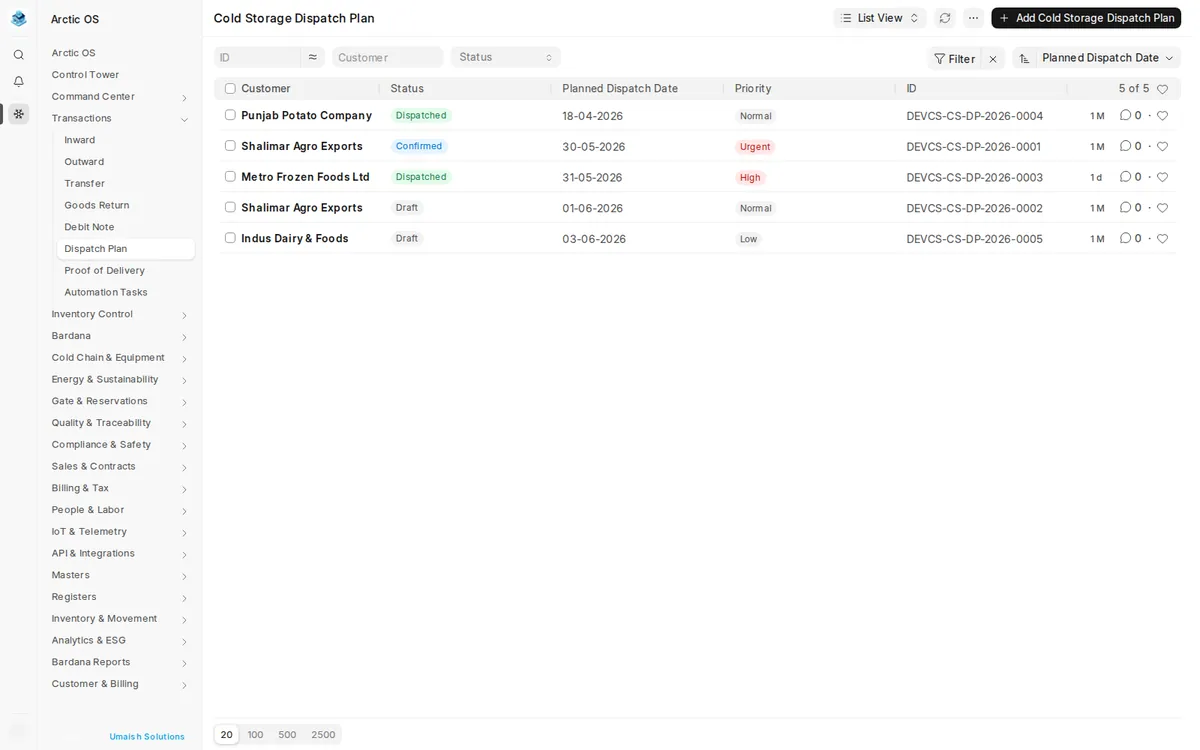
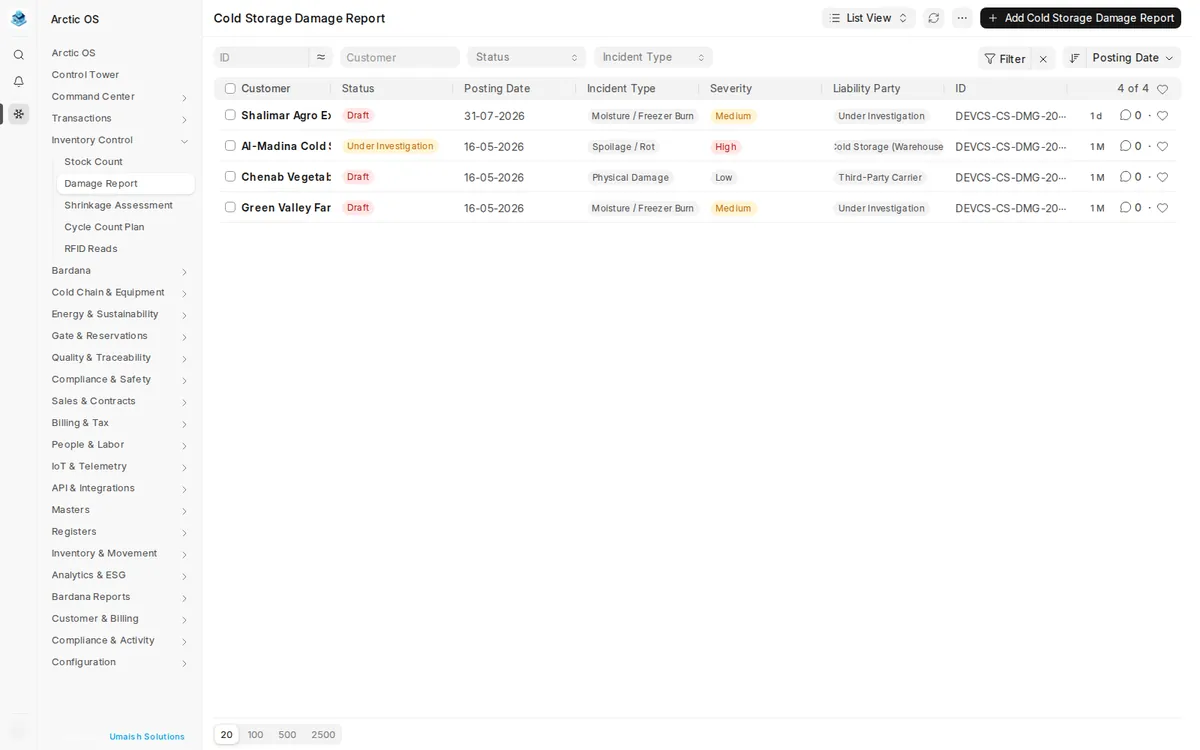
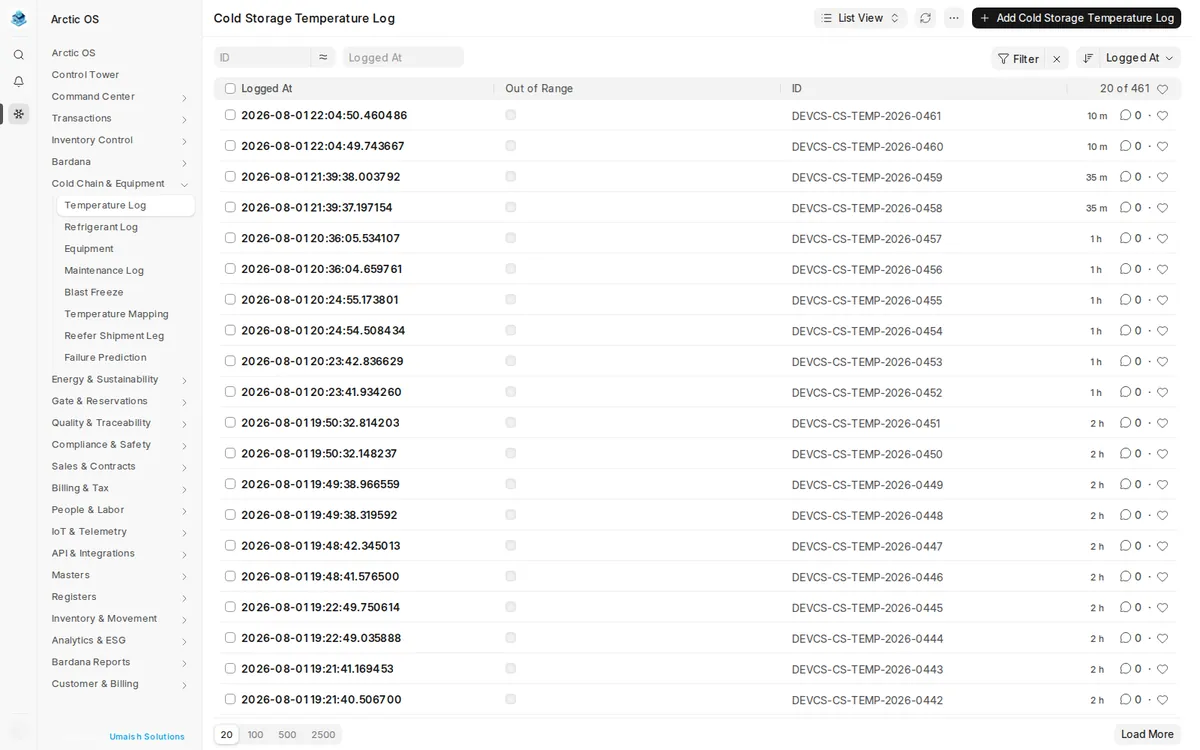
Real screens from the Arctic OS demo environment — command center, cold-chain intelligence, transactions and reports.
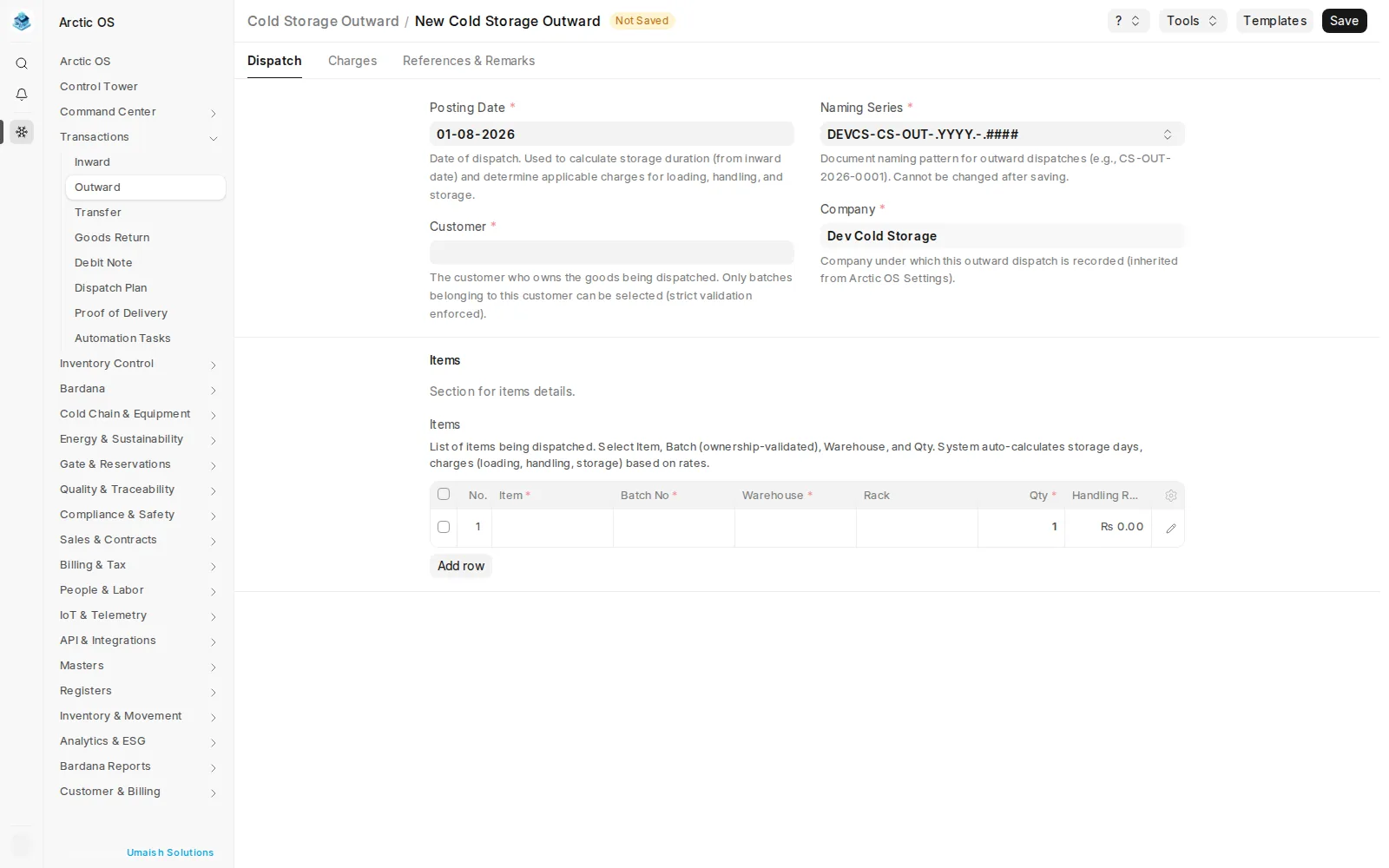
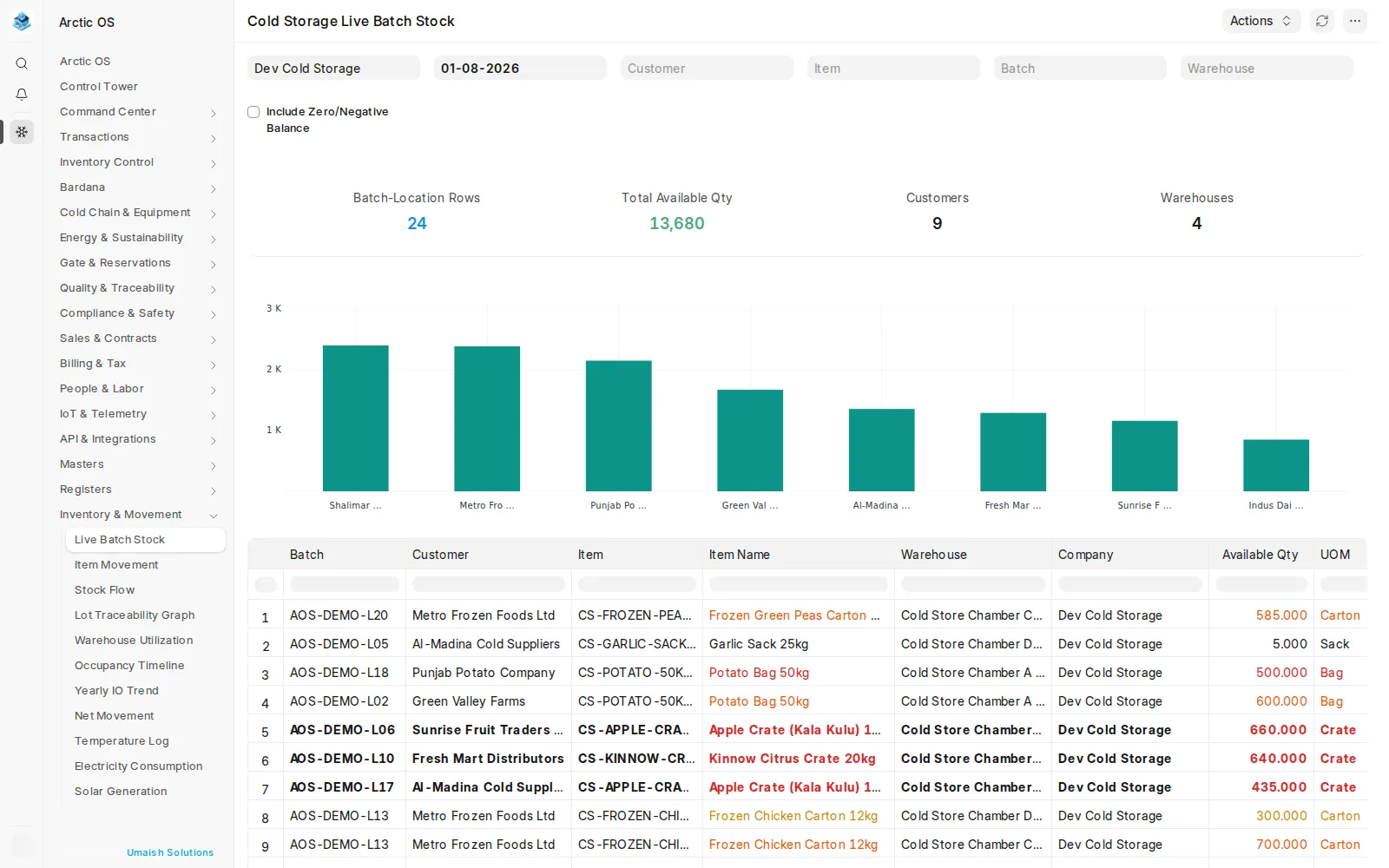
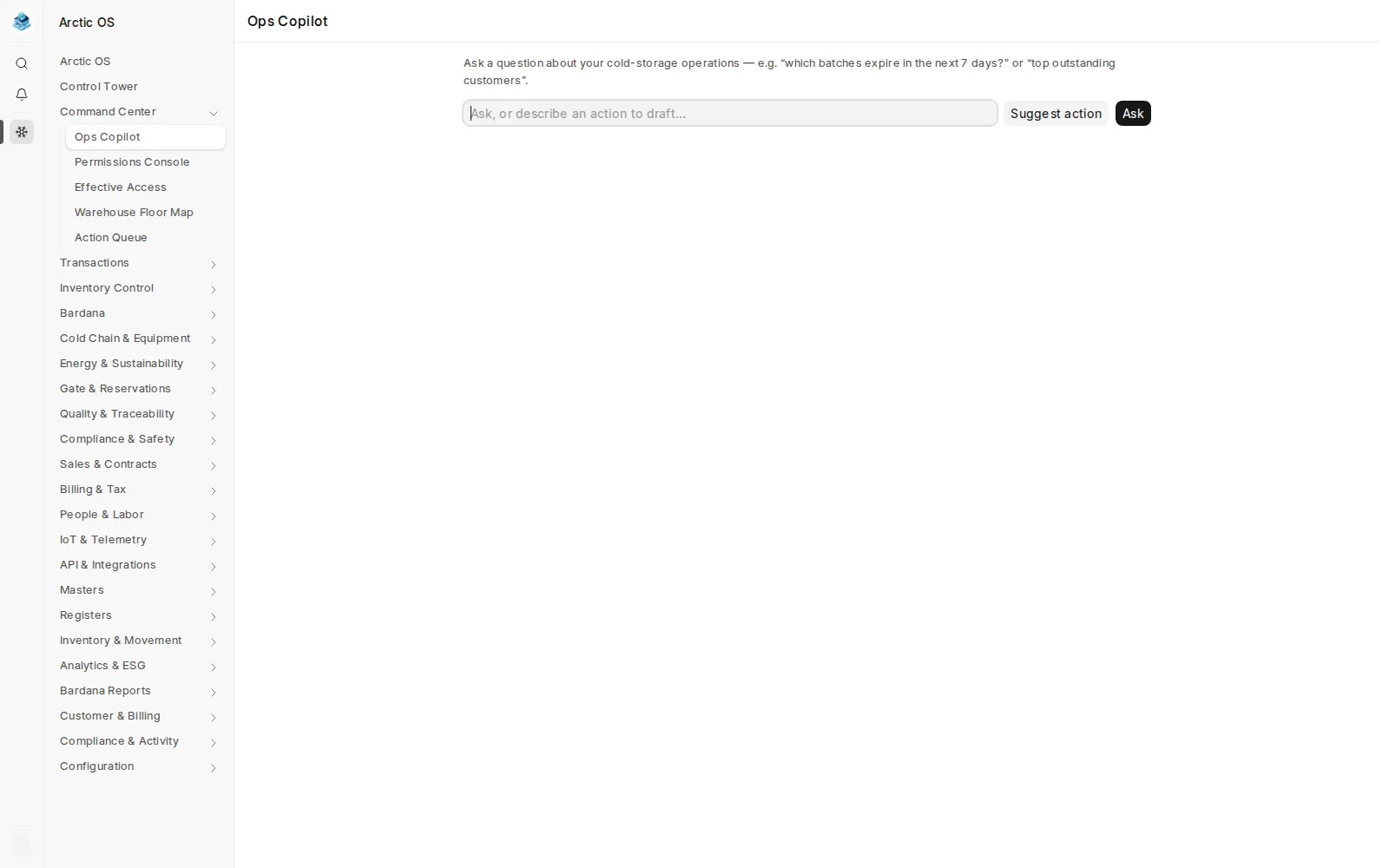
Inside the Back Office
Every register, movement and safeguard a cold store runs on — captured from the live Arctic OS demo environment.
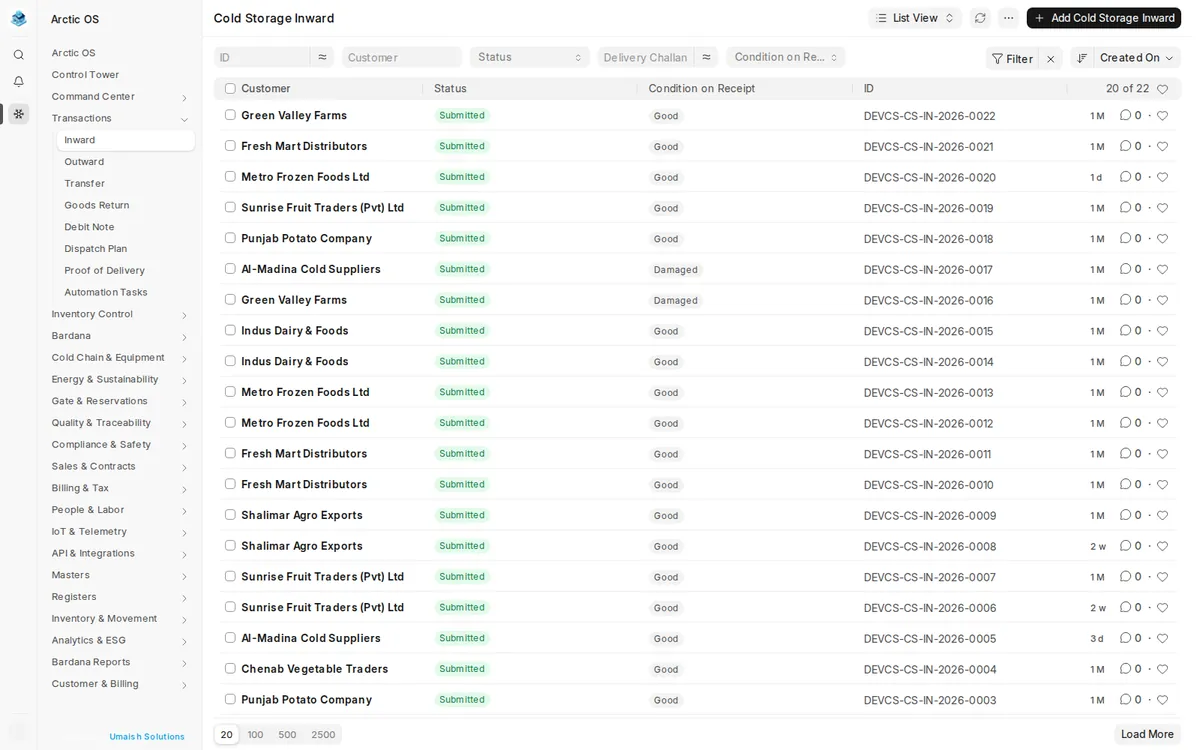
Your Customers, Self-Served
Every "how much of my stock is left?" phone call is time your office loses. The Arctic OS Client Operations Portal gives each customer a secure login to their own world — live stock, movement charts, current batches, recent movements, invoices, outstanding balances, bardana and service requests.
Access is scoped by design: a portal customer sees only their authorized records, while your staff with broader permissions serve any account from the same surface. Fewer calls, faster answers, and customers who trust your numbers because they can see them.
Give Your Customers a Login →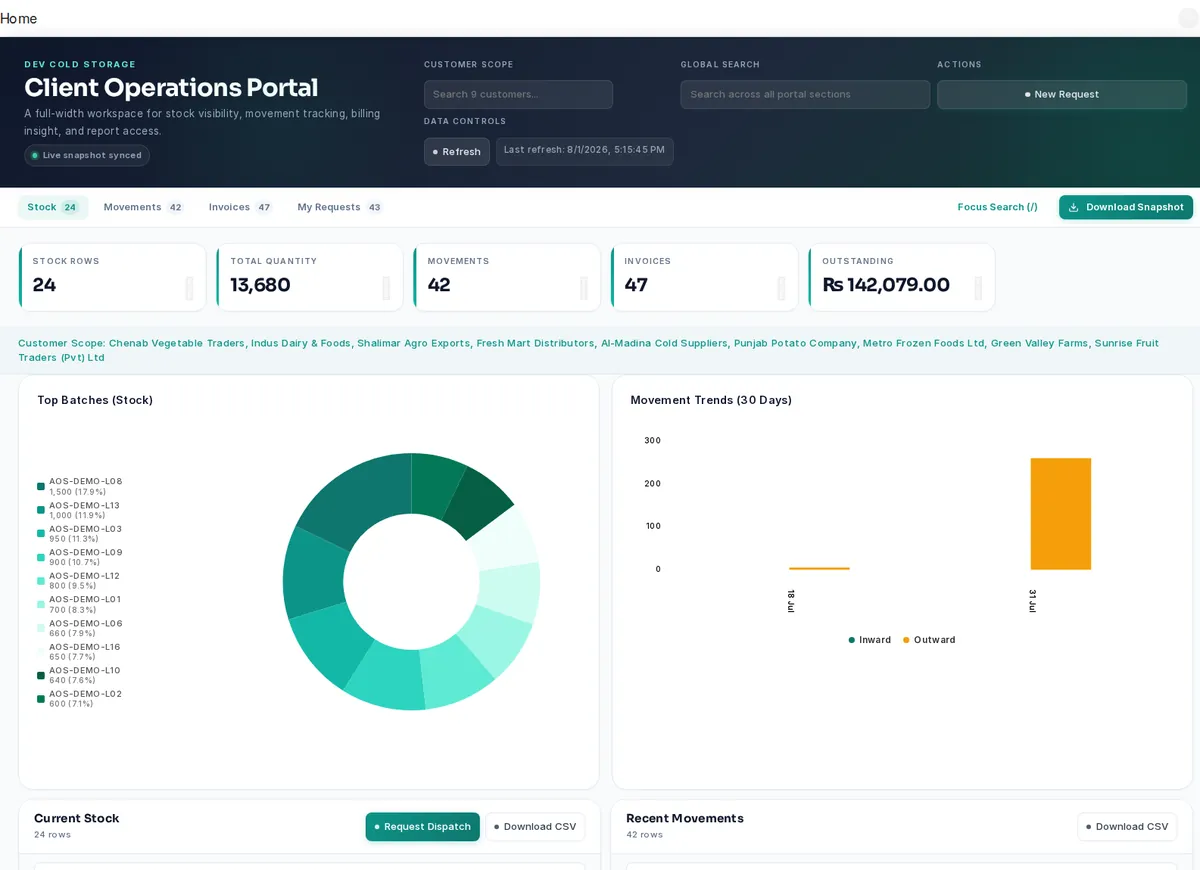
Built Around a Real Cold Store's Day
From the gate to the chamber to the ledger — every step your staff already performs, digitised in Arctic OS.
From gate to chamber in minutes
An inward starts at the gate: the customer, challan, items and packaging go into a receipt with batch, warehouse and rack lines — typed at a desk or scanned on a phone with Arctic OS Mobile. Every lot is a tracked, customer-owned batch from the moment it enters, so nobody searches registers to find whose potatoes sit in which corner of chamber 3. Outward dispatches work the same way in reverse, with live batch availability and balance checks before goods leave.
A cold chain that watches itself
Chamber temperature readings and equipment state flow into the Live Control Tower, which surfaces excursions, stale sensors and capacity pressure the moment they appear. The Action Queue turns those signals into prioritized, prescriptive work — which chamber to check, which lot to move — and every reading is kept as compliance evidence. When something needs a human decision, Ops Copilot answers plain-language questions against your own permitted data.
Billing that matches your tariff, not the other way around
Cold stores bill in dozens of ways — per bag per season, per kg per month, pallet rates, loading and labour, electricity surcharges, GST. Arctic OS models your actual tariff card: charges accrue from inward and outward dates, dispatches carry itemized charge breakdowns, and customer ledgers, advances and recovery lists keep receivables from ageing. Your clients see their own stock and invoices in the Client Operations Portal instead of calling the office.
Governed by Design
Every surface in Arctic OS — down to field-operations and scanner routes — is permission-aware. Users see and do exactly what their role allows, and you can prove it.
The Warehouse Floor, In Their Pocket
Arctic OS Mobile is the mobile frontend of Arctic OS — your operators scan, receive, dispatch, count and monitor from a phone, against the same server, roles and permissions as the desktop.
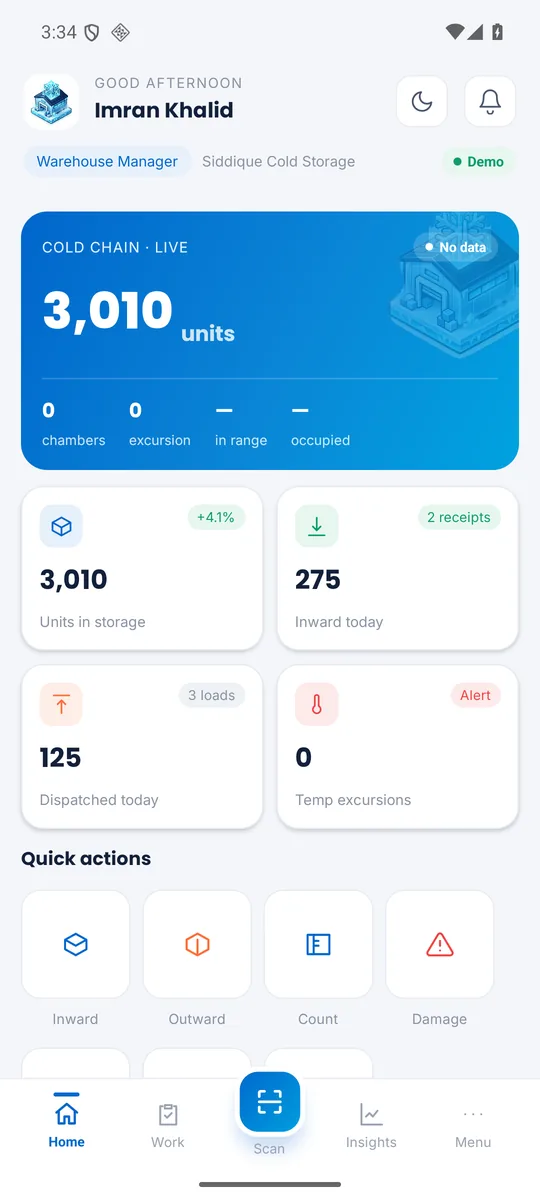
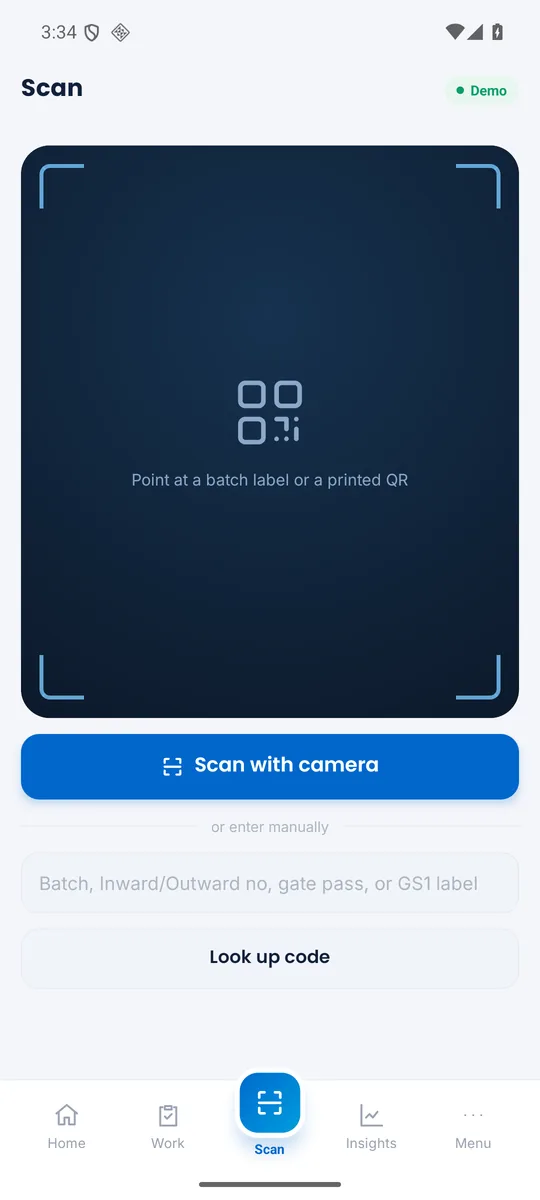
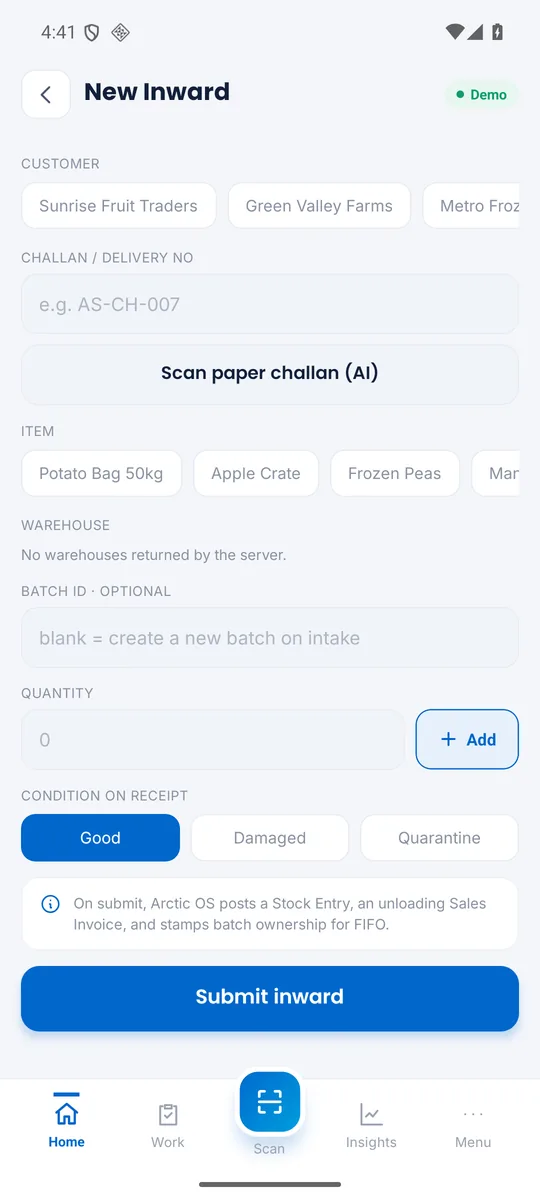
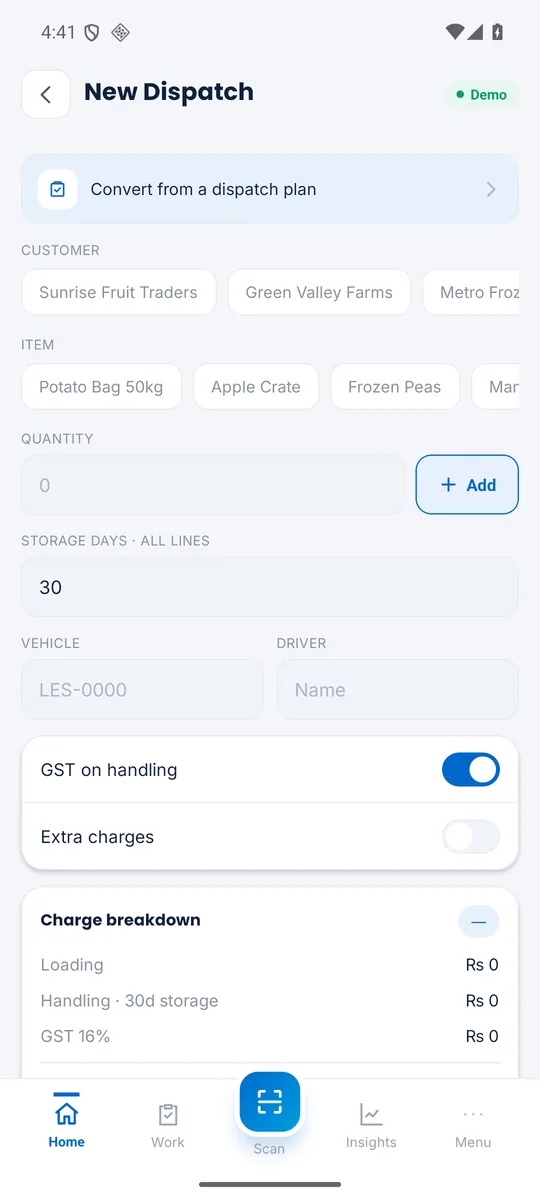
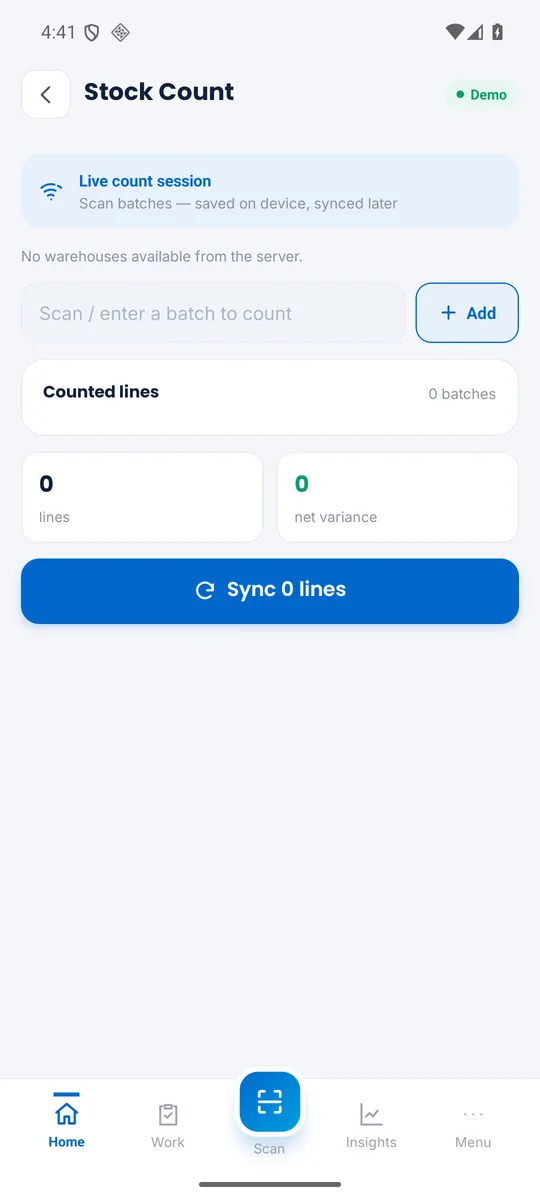
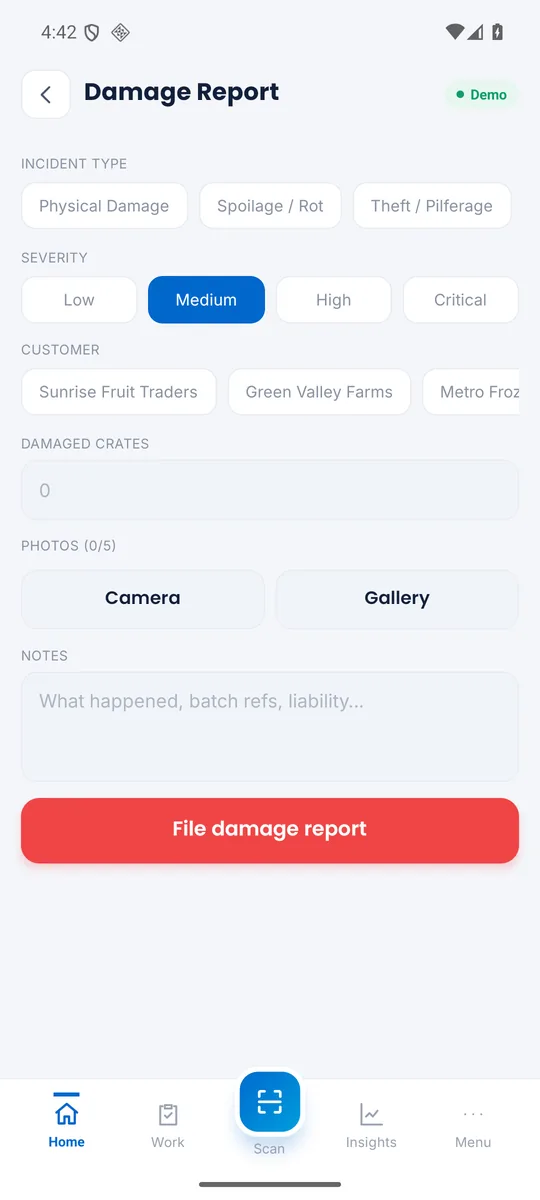
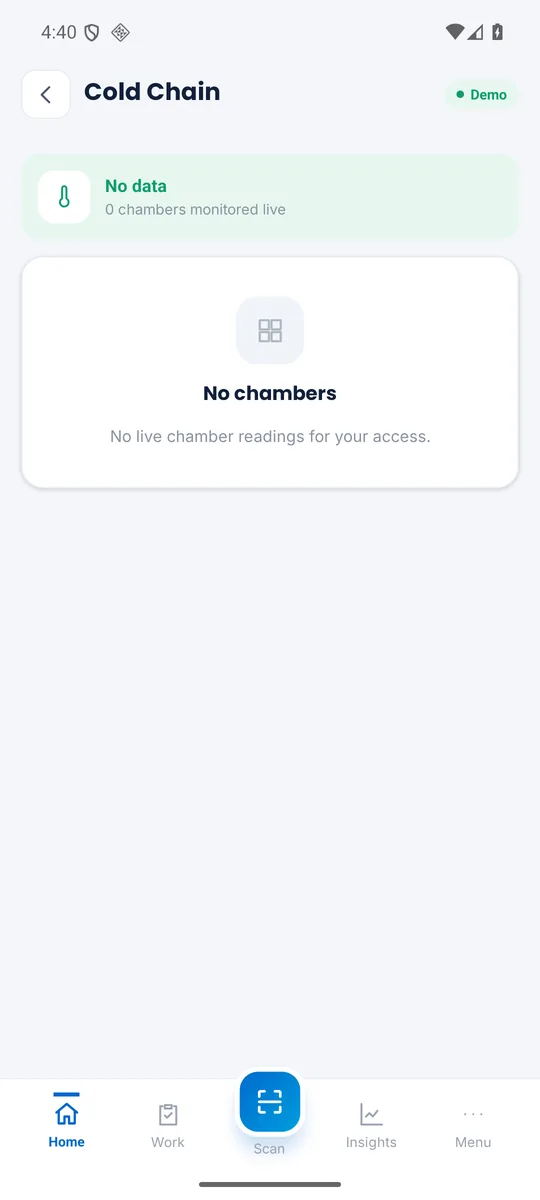
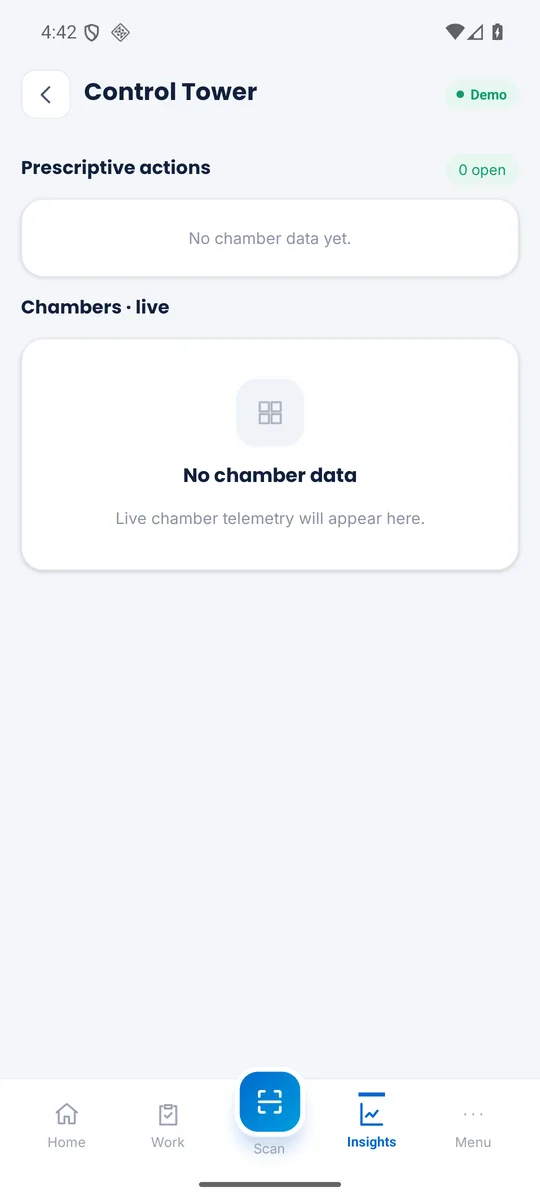
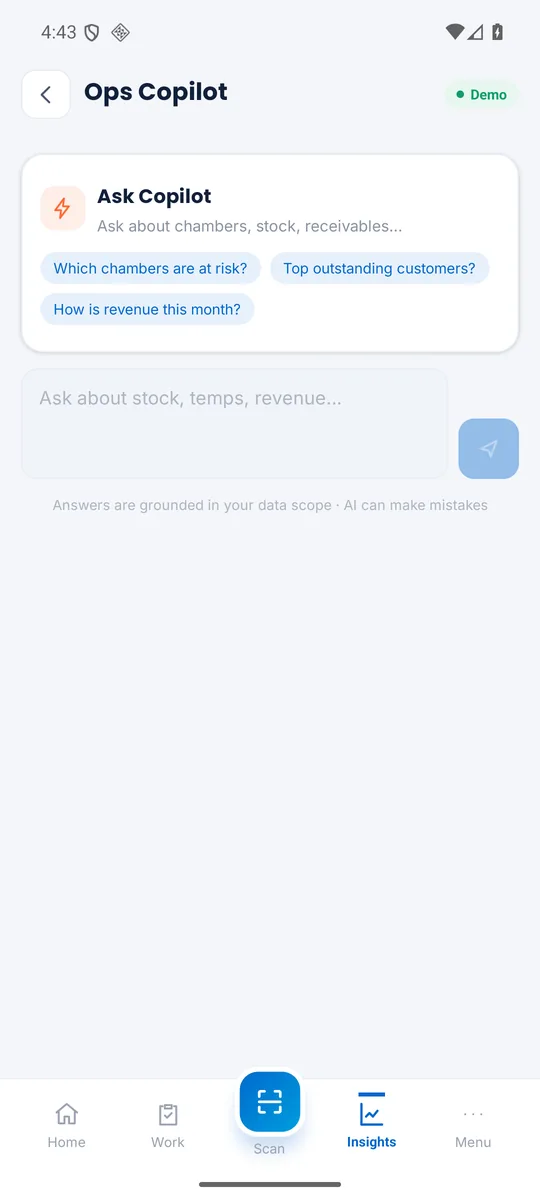
The app also handles stock transfers, manual temperature readings, and a records browser for every form, report and setup your role exposes. It ships with a home-screen widget, biometric app lock, light and dark mode, and English and Urdu interfaces — and because it is a true frontend of Arctic OS, a user sees exactly what their server roles permit, nothing more.
Arctic OS Questions
Common questions from cold store owners and operators.
Arctic OS is Umaish Solutions' cold storage operating system — the complete ERP for cold stores. The Arctic OS desktop platform runs your back office: inward and outward, chamber and rack inventory, live cold-chain monitoring, billing and reports. Arctic OS Mobile, its Android companion app, is the mobile frontend — scanning, receiving, dispatching, stock counts and chamber monitoring on the warehouse floor, connected to the same server with the same roles and permissions.
A single-facility deployment is typically live within 2–4 weeks, including data setup, staff training in English or Urdu, and parallel running alongside your existing registers. Multi-warehouse rollouts take 4–8 weeks depending on scope.
Yes. Arctic OS maps every warehouse, chamber and rack, tracks stock down to customer-owned batches, and consolidates multiple facilities under one panel with per-branch user permissions, transfers between locations and group-level reports.
Per kg, per bag or crate, per pallet, flat seasonal rates, duration-based rent, handling and labour charges, and GST — Arctic OS calculates itemized charges on each dispatch from your tariff card, and invoices are generated in one click.
Yes. Arctic OS Mobile scans batch labels, document numbers, gate passes, QR codes and GS1 labels with the phone camera — no dedicated scanner hardware needed — while the desktop platform integrates weighbridge indicators, label printing and invoice printing.
Both options are available. Arctic OS runs in the cloud or on an on-premise server; Arctic OS Mobile signs into your server either way. Field workflows are built offline-tolerant — stock-count sessions persist on the device and synchronize when a connection is available.
See Arctic OS on Your Cold Store
Book a free demo with real workflows — gate to chamber to invoice, on desktop and on the Arctic OS Mobile app — and see how much time your team saves.